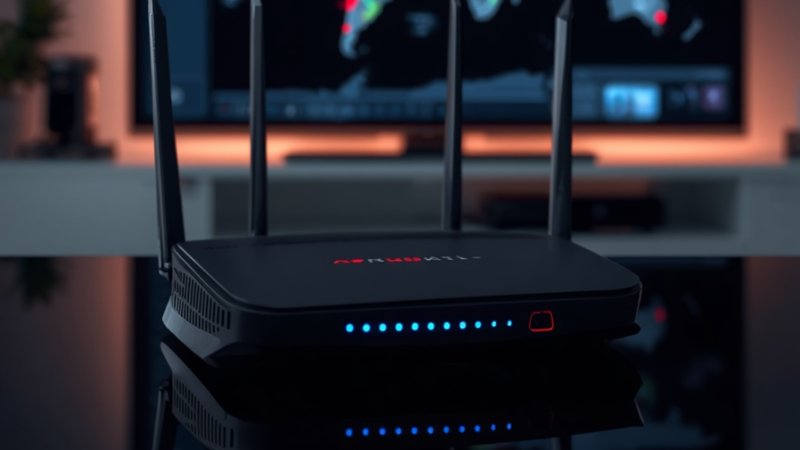
The transition from legacy copper-wire television networks to internet protocol-based media delivery has completely redefined the modern entertainment landscape. For decades, households across Dublin, Cork, and Galway relied on physical satellite dishes and underground coaxial cables to pull television signals from the sky. This infrastructure was rigid, expensive to maintain, and highly susceptible to the unpredictable Irish weather.
Walking through 2026, the modern digital consumer has moved past these physical limitations. The widespread expansion of National Broadband Plan fiber-to-the-home (FTTH) networks has turned every domestic router into a powerful broadcasting hub. However, shifting your living room entertainment to the internet requires more than just a fast broadband package. To achieve a flawless, theater-quality viewing experience without a single second of buffering, users must understand the underlying technical architecture of modern streaming and how to optimize their hardware.
Understanding the Engine: How Modern Streaming Protocol Works
To build a reliable home entertainment setup, it helps to understand what happens behind the screen. When you watch traditional broadcast television, a satellite continuously beams a single, massive signal containing hundreds of channels simultaneously to your dish. Your television box simply acts as a filter, displaying the specific frequency you select.
Internet television operates on an entirely opposite, on-demand data architecture. Instead of receiving every channel at once, your streaming hardware establishes a direct, private digital connection to an international Content Delivery Network (CDN). When you click on a channel, your device sends an instantaneous request to the server, which immediately begins transmitting that specific media stream as a continuous sequence of encrypted data packets over your broadband line.
Because live media happens in absolute real-time, the streaming application cannot pre-download minutes of footage in advance like a standard movie app does. Every single frame must be received, decrypted, and displayed within milliseconds. This is why high-tier platforms invest heavily in advanced encoding software and dedicated server arrays. By utilizing localized, unthrottled servers across Europe, premium IPTV Ireland systems ensure that data packets travel the shortest possible physical distance to reach your home router, drastically reducing latency and preventing the common glitches associated with low-cost, unoptimized networks.
+————————————————————–+
| THE LIVE DIGITAL STREAMING DATA PIPELINE |
+————————————————————–+
| International CDN Server —> Local European Edge Node |
+————————————————————–+
| Local Edge Node ———–> Home Fiber-Optic Router |
+————————————————————–+
| Home Router —————> Hardware Player (Instant Render) |
+————————————————————–+
The Critical Role of Codecs: H.264 vs. H.265 (HEVC)
At the heart of every buffer-free stream is a compression technology known as a video codec. Raw, uncompressed high-definition video files are massive—far too large to be transmitted efficiently over standard residential internet connections. Codecs solve this problem by compressing the video at the server level and decoding it in real-time on your streaming stick or smart television.
For years, the global standard for digital video transmission was the H.264 (Advanced Video Coding) protocol. While H.264 is highly compatible with older hardware, it requires significant bandwidth to maintain a crisp high-definition image.
In 2026, premium streaming frameworks have migrated to the vastly superior H.265 High-Efficiency Video Coding (HEVC) standard. The technical superiority of H.265 lies in its ability to compress video data up to 50% more efficiently than H.264 without losing a single ounce of visual quality. This means an Ultra-HD 4K stream that previously required a dedicated 50 Mbps broadband line can now be delivered flawlessly over a modest 25 Mbps connection. For homes with multiple devices sharing the same Wi-Fi network, H.265 optimization is the secret weapon that allows one family member to watch live sports in the living room while others stream separate content in different bedrooms without any network slowdowns.
Eliminating the Bottleneck: Internal Home Network Optimization
Many consumers upgrade to a high-tier internet television plan and possess a fast fiber broadband package, yet still experience occasional buffering wheels or sudden drops in picture quality. In over 90% of these cases, the issue is not the streaming server or the external broadband line—it is an artificial bottleneck created by internal home Wi-Fi interference.
While modern routers are incredibly powerful, wireless signals are inherently unstable. They must pass through thick concrete walls, reflect off metallic surfaces, and compete for radio frequencies with dozens of other household smart devices, baby monitors, and neighboring Wi-Fi networks. To eliminate these wireless bottlenecks and unlock the full potential of your streaming setup, follow this technical optimization checklist:
- Deploy a Physical Ethernet Line: Wireless convenience cannot compete with physical copper. Connecting your streaming device directly to your router using a Cat6 Ethernet cable guarantees a constant, zero-latency data pipeline that is completely immune to external radio interference.
- Isolate the 5GHz Wireless Band: If a physical cable is logistically impossible due to the layout of your home, ensure your streaming stick is explicitly connected to the router’s 5GHz or Wi-Fi 6 frequency band. The older 2.4GHz band is highly congested and lacks the speed capacity required for high-bitrate live media.
- Configure Custom DNS Servers: By default, your streaming devices use the generic Domain Name System (DNS) servers provided by your local internet provider. Swapping these default settings inside your device network menu for high-performance public DNS servers (such as Google DNS 8.8.8 or Cloudflare 1.1.1.1) can drastically improve channel-switching speeds and server connection times.
Evaluating the Hardware: Selecting the Right Media Engine
Your internet connection is the fuel, but your hardware device is the engine that converts that fuel into a beautiful onscreen image. Choosing a device with an underpowered processor or poor hardware-decoding capabilities will result in choppy playback, app crashes, and frustrating lag, regardless of how fast your internet connection is.
+————————————————————–+
| HARDWARE STREAMING CAPABILITY MATRIX |
+————————————————————–+
| Device Category | Processing Power | Codec Compatibility |
+———————+——————+———————+
| Premium Firestick | High | Full H.265 / AV1 |
+———————+——————+———————+
| Dedicated Android TV| Exceptional | Advanced Multi-Layer|
+———————+——————+———————+
| Legacy Smart TV Apps| Moderate | Basic / Limited |
+———————+——————+———————+
The Power of Dedicated Media Players
To ensure absolute stability, enthusiasts heavily favor dedicated streaming hardware over the built-in software found inside older smart televisions. The Amazon Firestick 4K Max and specialized Android TV boxes feature dedicated graphic processing units (GPUs) engineered specifically to decode heavy, high-bitrate video feeds instantly.
These portable units run highly optimized operating systems that prioritize data streaming over background applications. Furthermore, they grant users access to advanced media applications like TiviMate or IPTV Smarters Pro, which feature highly customizable user interfaces, automated Electronic Program Guides (EPG), and parental control settings that mimic the premium look and feel of high-end satellite boxes.
To ensure your advanced hardware configuration remains supported by premium, unthrottled servers throughout the year without any sudden subscription expirations or price spikes during major global entertainment events, investing in an annual package is the smartest long-term decision. Partnering with a reliable IPTV Ireland provider ensures an entire year of uncompressed, continuous server access. This guarantees that your hardware engine always receives a premium, high-bitrate data feed, protecting your physical technology investment completely.
Software Configuration: Choosing the Best Media Player App
Once your hardware is set up and your network is optimized, the final step in building a perfect home theater blueprint is selecting the right software application to parse your streaming data. The application layer is what you interact with every day; it acts as the interface that displays your channel lists, organizes your Video-on-Demand (VOD) library, and generates your interactive program guide.
The clear industry leader for Android and Firestick devices is TiviMate. Unlike generic, free media players that suffer from clunky navigation and slow loading times, TiviMate was written from the ground up to handle massive, multi-thousand-channel databases effortlessly. It features an advanced caching engine that pre-loads upcoming program data in the background, allowing you to surf through channels instantly without experiencing a black loading screen between transitions.
For users running Apple ecosystem devices or smart televisions directly, applications like GSE Smart IPTV or XCIPTV provide excellent alternatives. Regardless of which application you choose, the key to long-term software stability is ensuring that your application connects using the Xtream Codes API protocol rather than a standard M3U URL playlist. The Xtream Codes architecture establishes a smarter, two-way connection with the streaming servers, allowing the application to automatically update channel lists, sync movie subtitles, and refresh the TV guide every time the app boots up, completely eliminating the need for manual software maintenance.
Future-Proofing for 2026 and Beyond: The Rise of AV1
As we progress through 2026, the digital media landscape is already preparing for the next major architectural evolution: the AV1 codec. Backed by global technology giants, AV1 is an open-source, royalty-free video compression format designed to replace even H.265 over the coming decade.
AV1 offers an additional 30% efficiency increase over H.265, meaning that stunning 4K and even 8K streaming feeds will soon be transmittable using incredibly low amounts of data bandwidth. When purchasing new streaming hardware or smart televisions today, smart consumers are explicitly checking the technical spec sheets to ensure their new devices feature native, hardware-level AV1 decoding. Investing in future-proof hardware today ensures that your entertainment setup remains fully compatible with the next generation of high-efficiency broadcasting servers without requiring another hardware upgrade down the line.
Conclusion: Mastering Your Digital Infrastructure
Achieving a flawless, buffer-free home theater setup is not a matter of luck; it is a matter of correct technical configuration. By understanding how data travels across the internet protocol network, selecting hardware built for heavy video decoding, and eliminating internal Wi-Fi bottlenecks, you transform your television into a powerful, global window of entertainment.
The era of relying on restrictive corporate infrastructure is officially a thing of the past. With the right technical blueprint in place, your home fiber broadband network becomes the ultimate entertainment engine—delivering unmatched variety, pristine picture clarity, and total consumer freedom.
Frequently Asked Questions (FAQs)
1. What internet speed do I actually need for buffer-free streaming?
For standard High-Definition (HD) channels, a stable download speed of 25 Mbps is perfectly sufficient. However, if you stream Ultra-HD 4K content or run multiple devices simultaneously on the same home network, experts strongly recommend a dedicated speed of 50 Mbps or higher to ensure complete stability.
2. Why does my channel list sometimes disappear, and how do I fix it?
If your channel list or Electronic Program Guide (EPG) fails to load, it is usually because your media player app lost connection with the server database during a brief network drop. To fix this, simply go into your application settings, select your playlist, and click “Refresh.” To prevent this from happening entirely, ensure your app is configured using the stable Xtream Codes API login method instead of a standard M3U text link.
3. What is the difference between H.264 and H.265 compression?
H.265 (HEVC) is a modern video compression protocol that is up to 50% more efficient than the older H.264 standard. This allows high-tier streaming servers to deliver beautiful, crisp high-definition video quality using half the internet data bandwidth, making it ideal for homes with standard broadband speeds or multiple connected devices.
4. Can I connect my streaming stick to an older television?
Yes, absolutely. As long as your television possesses a standard, functional HDMI port and your home has a working internet router, you can plug in an external streaming device (like an Amazon Firestick or Android Box) and turn any older screen into an advanced, internet-powered home cinema.